Quick Answer: Cash Discount vs Surcharge vs Convenience Fee
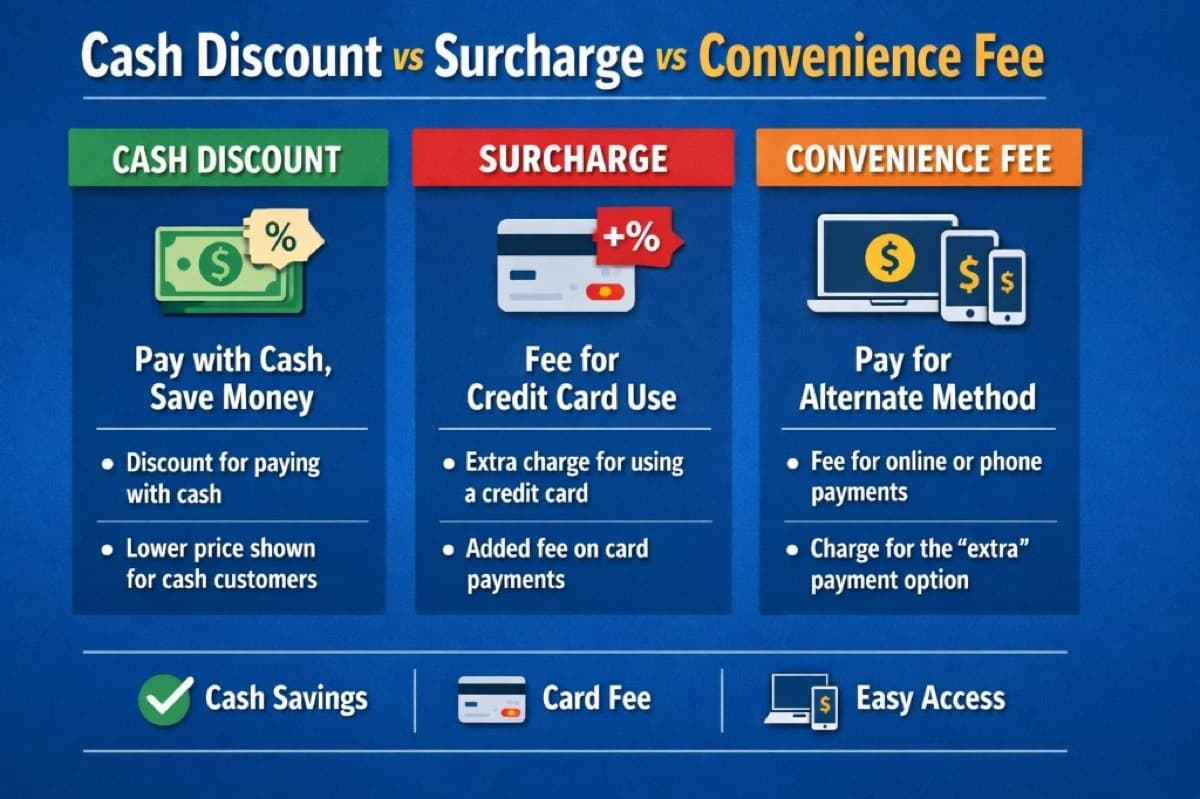
If you have ever asked "Can I charge customers for card fees?" you are not alone. The terms cash discount, surcharge, and convenience fee sound similar, but they work differently and each comes with different compliance expectations. Here is the short version:
- Cash Discount: You offer a lower price when the customer pays with cash. The posted price is the "standard" price, and cash gets a discount.
- Surcharge: You add an extra fee only when a customer chooses to pay with a credit card. This requires specific disclosures and correct card-type handling (debit is usually excluded).
- Convenience Fee: You charge a fee for giving the customer an alternate way to pay (like online or by phone), not simply for using a credit card.
The distinctions matter because using the wrong label or the wrong setup can create compliance problems, customer confusion, and even chargebacks. Below, we break down each model in detail with real numbers, state rules, and implementation steps.
What Is a Convenience Fee?
A convenience fee is a charge added when a business offers a customer an alternative, more convenient way to pay — such as paying online, by phone, or at a kiosk — instead of the standard payment method (typically in-person at a counter). The fee compensates the business for maintaining an extra payment channel. Convenience fees are usually a flat dollar amount (e.g., $2.50–$5.00), not a percentage, and they apply to everyone who uses that alternate channel regardless of card type. Unlike a surcharge, a convenience fee is not specifically for using a credit card — it is for using a different payment channel. Common examples include utility bill-pay portals, court and government payment sites, tuition payments, and event registration platforms.
Side-by-Side Comparison Table
| Feature | Cash Discount | Surcharge | Convenience Fee |
|---|---|---|---|
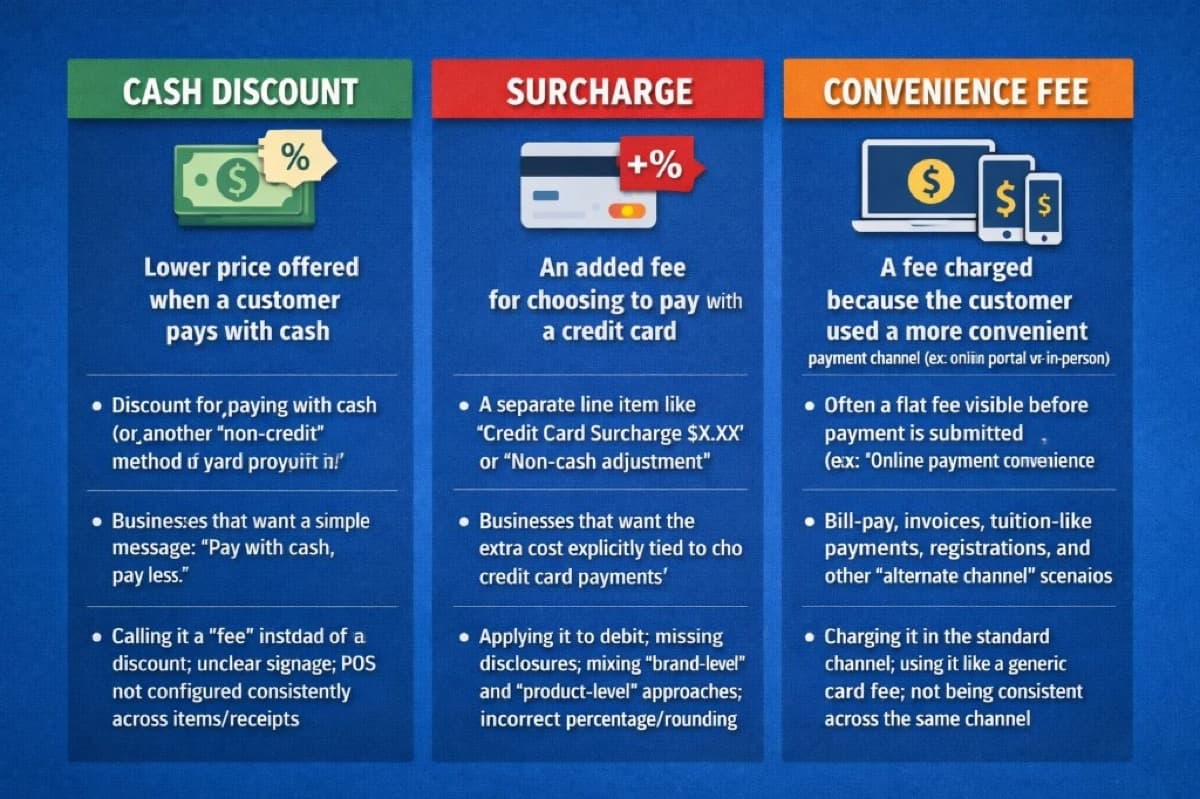
| What it does | Lowers the price for cash payments | Adds a fee for credit card payments | Adds a fee for using an alternate payment channel |
| Customer sees | "Cash Discount -$X.XX" on receipt | "Credit Card Surcharge $X.XX" on receipt | "Convenience Fee $X.XX" before payment |
| Applies to | Cash (or non-credit) transactions | Credit card transactions only | Alternate-channel transactions (online, phone, kiosk) |
| Typical amount | 3-4% of transaction | Up to 3% (Visa/MC cap) | Usually a flat fee ($2-$5) |
| Debit cards | Not affected (customer pays standard price) | Cannot be surcharged (most rules) | Depends on setup |
| State restrictions | Generally allowed everywhere | Banned in CT, MA, PR; varies elsewhere | Fewer restrictions, but rules still apply |
| Best for | Retail, restaurants, service businesses | Businesses wanting cost tied explicitly to credit cards | Bill-pay, invoices, registrations, tuition |
| POS requirement | Must show discount as line item | Must identify credit vs debit cards | Must be tied to a genuine alternate channel |
What Is a Cash Discount?
A cash discount is a pricing strategy where you offer a lower price when the customer pays with cash. The key idea is that you are discounting the price for a specific payment choice rather than adding a penalty fee.
How it works in practice
- You set a "standard" price (the price shown on your menu, shelf, or website).
- When the customer pays with cash, they receive a discount off that standard price.
- The receipt clearly shows the discount as a separate line item.
For example, on a $100 purchase with a 3% cash discount, a cash-paying customer pays $97. A card-paying customer pays the full $100. The merchant effectively offsets credit card processing fees without adding a visible surcharge.
Why many merchants prefer cash discounts
Cash discount programs have become one of the most popular ways for small businesses to reduce processing costs because they:
- Avoid state surcharge restrictions — Cash discounts are generally permitted in all 50 states, unlike surcharging.
- Feel positive to customers — "You get a discount" is a better message than "you pay a fee."
- Work with any card type — No need to distinguish between credit and debit because the discount only applies to cash.
- Simplify POS setup — Many modern payment terminals have built-in cash discount functionality.
Best practices for cash discount messaging
- Post clear signage at the entrance and at the register. Online? Add it to your checkout page.
- Use consistent language: "cash discount" or "discount for cash payments." Never call it a "fee."
- Show the math on the receipt so the customer can see exactly what they saved.
- Train staff to explain it in one sentence: "Our posted prices are the standard price. If you pay with cash, you get a discount."
What Is a Surcharge?
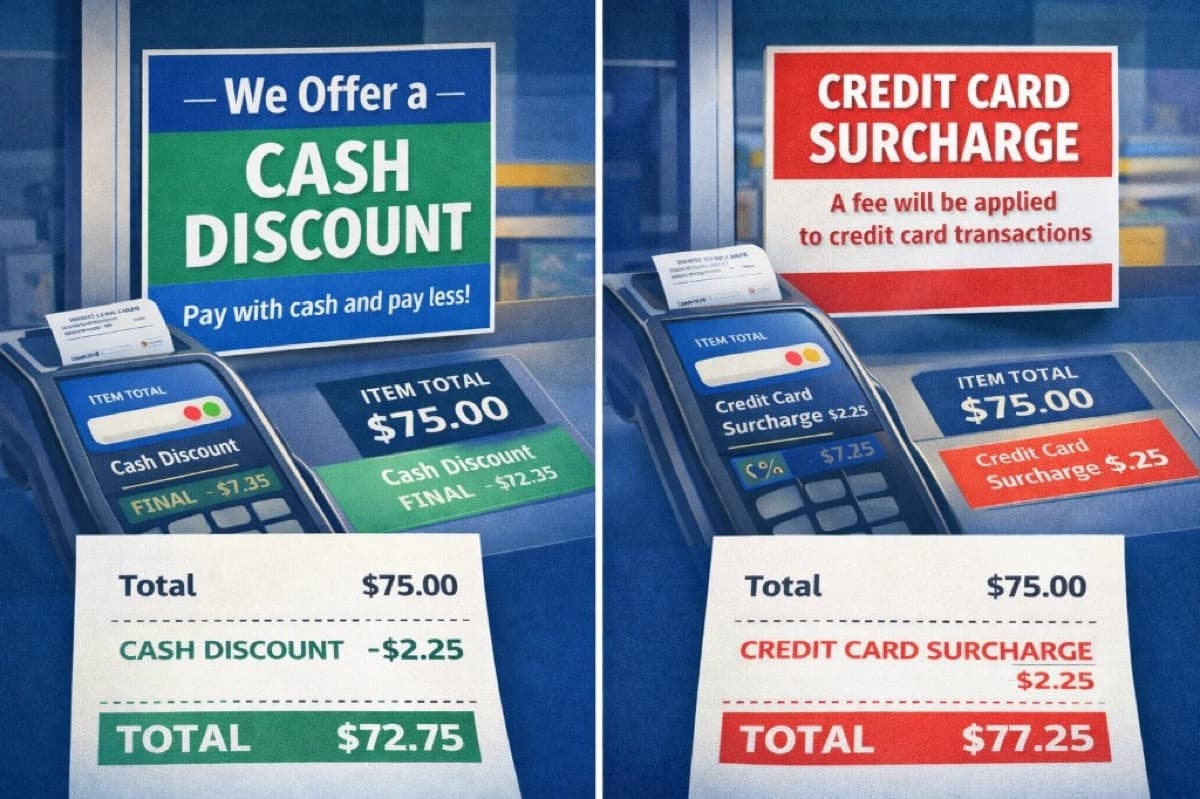
A surcharge is an extra fee added when a customer chooses to pay with a credit card. It is meant to offset the cost of card acceptance, but it is also the option with the most compliance requirements.
Card brand rules you need to know
Before implementing a surcharge, understand that Visa and Mastercard have specific rules:
- Maximum surcharge: 3% of the transaction amount (or your actual cost of acceptance, whichever is lower).
- Advance notice required: You must notify Visa and your acquiring bank at least 30 days before you start surcharging.
- Debit cards are excluded: You cannot surcharge PIN debit or standard debit card transactions. Your POS system must reliably identify credit vs debit.
- Disclosure at three points: Before purchase (signage), at the moment of payment (terminal prompt), and after purchase (receipt line item).
- Brand-level vs product-level: You must choose one approach. Brand-level surcharges all Visa credit cards equally. Product-level allows different surcharges for different card products. Most merchants choose brand-level for simplicity.
States where surcharging is restricted
As of early 2026, Connecticut, Massachusetts, and Puerto Rico have laws that restrict or prohibit credit card surcharging. Several other states (including New York, Kansas, and Texas) previously had surcharge bans that were struck down or modified by court rulings. For a detailed breakdown of every state — including special-rule states like Colorado, New York, and Georgia — see our State-by-State Credit Card Surcharging Rules.
This is the single biggest reason many merchants choose a cash discount program instead. A cash discount achieves a similar economic result without the state-by-state legal complexity.
What customers see at checkout
- A separate line item like "Credit Card Surcharge $2.35" on the receipt.
- The surcharge amount shown before the customer completes payment.
- Clear signage at the entrance and point of sale.
Common surcharge mistakes
- Applying the surcharge to debit cards — This violates card brand rules and is the most frequent compliance issue.
- Missing disclosures — Failing to notify Visa/MC, failing to post signage, or not showing the fee on the receipt.
- Exceeding 3% — The surcharge must not exceed 3% or your actual cost of acceptance.
- Inconsistent application — The surcharge must be applied uniformly. It cannot be "sometimes there, sometimes not" based on the customer or transaction amount.
What Is a Convenience Fee?
A convenience fee is a fee you charge because you offered a more convenient way to pay. It is about the channel (online, phone, kiosk), not about the card itself.
When convenience fees make sense
- Online bill-pay portal when in-person or mail is the "standard" payment option.
- Phone payments for invoices or recurring bills.
- Self-service kiosk payments at locations where counter service is the default.
- Event registrations where online checkout is the convenience channel.
The plain-English test
Ask yourself: "If the customer used a different payment method in this same channel, would the fee still make sense?" If yes, it is closer to a true convenience fee. If you are only charging the fee because the customer used a credit card at your standard checkout, that is a surcharge, not a convenience fee.
Common convenience fee mistakes
- Using a "convenience fee" label at standard in-person checkout. If it is not a genuine alternate channel, calling it a convenience fee can create compliance issues.
- Charging it inconsistently within the same channel. Everyone using that channel should see the same fee structure.
- Using it as a workaround for surcharge restrictions. Regulators and card brands can tell the difference.
What About Dual Pricing?
Dual pricing is a close cousin of the cash discount model. Instead of showing one price and applying a discount at the register, you display two prices side by side: a cash price and a card price.
Example: A menu item shows "$9.50 cash / $9.80 card." The customer sees both options before they order.
Dual pricing vs cash discount
- Dual pricing: Two prices visible at the shelf, menu, or website. Customer chooses before getting to the register.
- Cash discount: One posted price with a discount applied when the customer pays cash. The math happens at the register.
Both achieve the same economic result. The difference is in how and when the customer sees the pricing. Dual pricing can feel more transparent because there are no surprises at checkout. However, it requires updating every price tag or menu listing with two numbers, which is more work for businesses with large product catalogs.
Dual pricing programs are available on many modern POS systems, including Clover and other terminals that Unison Payment supports.
Real-World Cost Analysis: How Much Can You Save?
Let us look at actual numbers. Assume a business processes $30,000 per month in card transactions with an effective processing rate of 2.8%.
Monthly processing cost without any fee program: $30,000 x 2.8% = $840/month ($10,080/year).
Scenario 1: Cash discount at 3%
If 40% of customers switch to cash to get the discount:
- Card volume drops to $18,000. Processing cost: $504/month.
- Cash volume: $12,000. Processing cost: $0.
- Monthly savings: $336. Annual savings: $4,032.
Scenario 2: Surcharge at 2.8%
If you surcharge at your actual cost of acceptance (2.8%) and 100% of card customers accept it:
- $30,000 x 2.8% = $840 in surcharge revenue, which offsets the $840 processing cost.
- Monthly savings: up to $840. Annual savings: up to $10,080.
In practice, some customers will pay with cash or debit to avoid the surcharge, and debit transactions cannot be surcharged, so actual recovery is lower. Most merchants recover 60-80% of processing costs through surcharging.
Scenario 3: Convenience fee ($3 flat fee)
If you process 200 online invoice payments per month with a $3 convenience fee:
- Fee revenue: $600/month.
- Annual revenue: $7,200 to offset online payment processing costs.
These numbers illustrate why fee-offset programs are popular. For a detailed breakdown of other strategies to reduce processing costs, see our guide on how to lower credit card processing fees.
Which Model Is Best for Your Business?
The best choice depends on your business type, your customer base, and your state:
Choose a cash discount if:
- You want the most customer-friendly framing ("You get a discount!").
- You operate in a state where surcharging is restricted or banned.
- You want a simple setup that works with all card types (no credit vs debit logic needed).
- You run a retail store, restaurant, salon, or service business with a mix of cash and card customers.
Choose a surcharge if:
- You want the fee explicitly tied to credit card usage.
- You operate in a state where surcharging is permitted.
- Your POS can reliably identify credit vs debit transactions.
- You are willing to comply with advance notice requirements and three-point disclosure.
If you go the surcharge route, see our step-by-step implementation guide: How to Implement Surcharging the Right Way.
Choose a convenience fee if:
- You are offering an alternate payment channel (online, phone, kiosk) for bills or invoices.
- Your "standard" payment method is in-person or by mail.
- You want to offset the cost of providing online payment infrastructure.
When to consider dual pricing:
- You want maximum price transparency with no surprises at the register.
- Your menu or product catalog is manageable enough to display two price points.
- You want the benefits of a cash discount with even clearer customer communication.
If you are not sure which model is right for your business, Unison Payment Solutions can help you evaluate your options. We set up compliant cash discount and dual pricing programs through our merchant services and configure them directly on your POS terminal or payment gateway.
Compliance and Setup Checklist
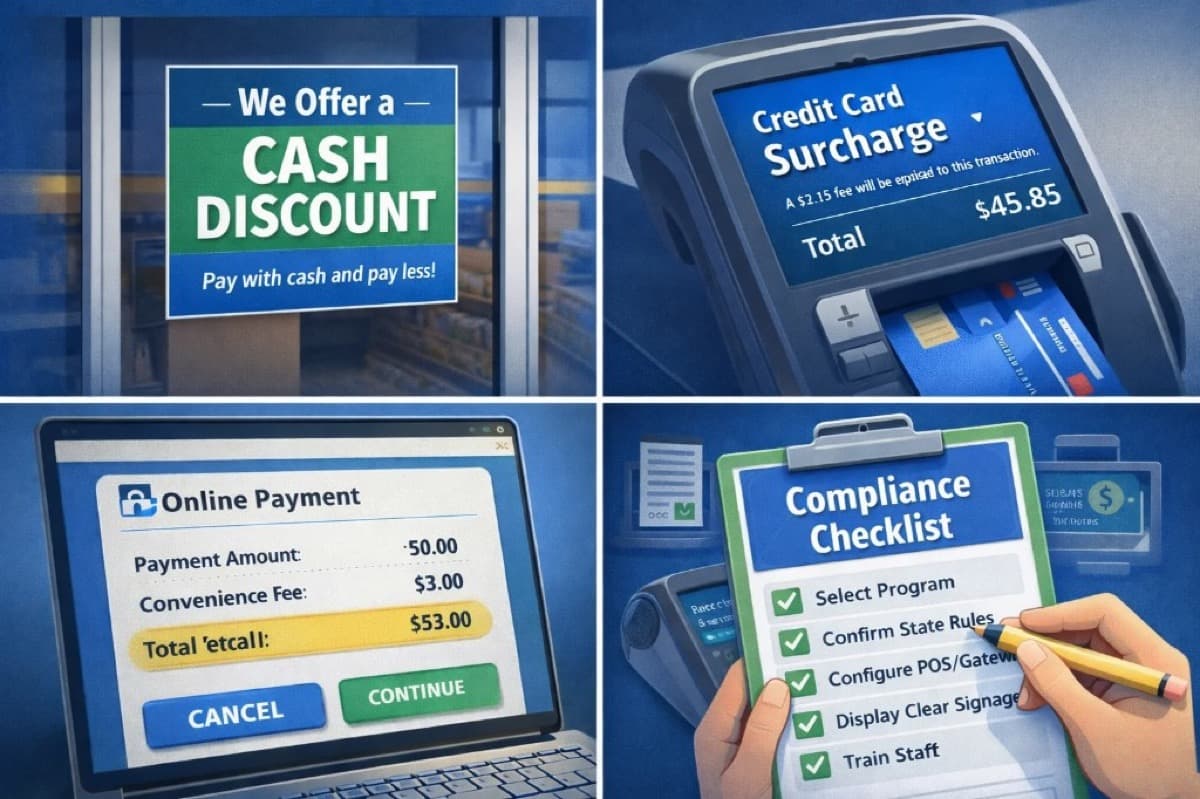
Follow these steps regardless of which model you choose:
- Step 1: Pick one model per checkout flow. Do not mix a surcharge and a cash discount in the same transaction. Document which model applies to each sales channel (in-store, online, phone).
- Step 2: Confirm state and card brand rules. Verify your state permits your chosen model. For surcharging, confirm Visa/Mastercard requirements including the 30-day advance notice.
- Step 3: Configure your POS or gateway. Set up your payment terminal to apply the correct logic and display the adjusted total before the customer finalizes payment.
- Step 4: Display clear signage. Post notices at the entrance, at every register, and on your online checkout page. Customers must know about the pricing before they reach the payment step.
- Step 5: Show it on the receipt. The discount or fee must appear as a separate, plainly labeled line item. Use language like "Cash Discount," "Credit Card Surcharge," or "Convenience Fee."
- Step 6: Train your staff. Give employees a one-sentence explanation and a quick FAQ for handling common questions: "Our posted prices are the standard price. Cash payments receive a discount."
- Step 7: Test every scenario. Run test transactions for credit, debit, chip, tap, online, refunds, partial refunds, and tips. Verify the math is correct and the receipt is clear in every case.
Need help getting set up? Contact Unison Payment Solutions for a compliant program configured on your existing or new POS hardware.
Real-World Signage and Receipt Examples
Here is copy-ready wording you can use:
Cash discount sign
"Our posted prices reflect our standard price. We offer a cash discount for customers who pay with cash. Ask us if you have any questions."
Surcharge notice
"A credit card surcharge of up to 3% will be applied to credit card purchases. The surcharge does not apply to debit card transactions. The amount will be displayed before you complete payment."
Convenience fee notice
"Online payments include a convenience fee for using this payment channel. You can avoid this fee by paying in person at our office."
Dual pricing sign
"We offer two prices: a cash price and a card price. Both are displayed so you can choose the option that works best for you."
Whatever model you choose, keep the message simple enough that a customer could repeat it back in one sentence. Clarity reduces confusion and reduces chargebacks.
Common Questions About Implementation
What POS systems support cash discount programs?
Most modern POS systems and terminals support cash discount or dual pricing, including Clover, Dejavoo, and PAX devices. Unison Payment Solutions pre-configures these programs on every terminal we deploy so they work correctly from day one. See our full hardware lineup.
Can I run a surcharge program on my existing terminal?
Yes, in most cases. The key requirement is that your terminal and payment gateway can distinguish between credit and debit cards. If your current setup cannot do this reliably, the surcharge may accidentally apply to debit transactions, which violates card brand rules. Contact us and we will evaluate your current setup.
What happens if I use the wrong label?
Using "convenience fee" for a standard in-store credit card charge (which is actually a surcharge) can create compliance risk and customer trust problems. The card brands, state regulators, and your processor may all have different responses, but none of them are good. Use the correct term for what you are actually doing.
How does this affect my effective processing rate?
For merchants on interchange-plus pricing, a cash discount or surcharge program can bring your effective rate close to zero on offset transactions. Even partial adoption (where some customers switch to cash or absorb the surcharge) can significantly reduce your monthly processing costs.
How Unison Payment Solutions Can Help
Unison Payment Solutions helps merchants implement compliant fee-offset programs as part of our payment processing services. Here is what we offer:
- Program consultation: We evaluate your business type, location, and customer base to recommend cash discount, surcharge, dual pricing, or convenience fee, whichever fits.
- POS configuration: We set up the program directly on your terminal or payment gateway so the math, disclosures, and receipt formatting are correct from the start.
- Signage templates: We provide compliant signage language for in-store and online use.
- Ongoing support: If card brand rules change or your state passes new legislation, we update your configuration.
- Transparent pricing: We use interchange-plus pricing so you always know your actual cost of acceptance, which is essential for setting a compliant surcharge amount.
Ready to reduce your processing costs with a compliant program? Get a free consultation or explore our merchant services to learn more.