Before You Start: Pre-Launch Requirements
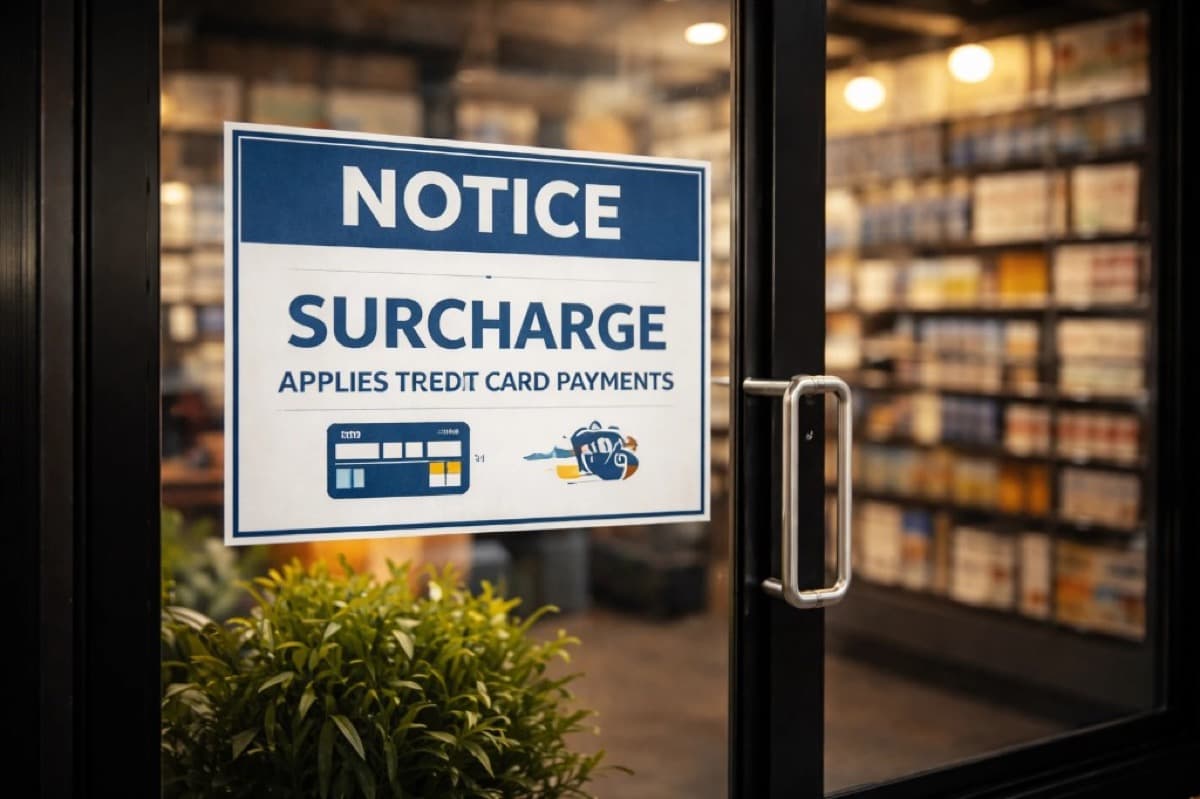
Before you turn on a surcharge program, there are mandatory steps that must happen first. Skipping these creates compliance risk from day one.
Step 1: Verify your state allows surcharging
As of early 2026, Connecticut, Massachusetts, and Puerto Rico prohibit credit card surcharging. Several other states (including New York, Kansas, and Texas) previously had bans that were struck down or modified by courts.
If your business operates in a state where surcharging is banned, consider a cash discount or dual pricing program instead. These achieve a similar economic result without the state-level restrictions.
Step 2: Notify Visa and your acquiring bank
Visa requires at least 30 days advance notice before you begin surcharging. You must notify both Visa and your acquiring bank. Mastercard has similar registration requirements.
Your payment processor can typically handle this notification on your behalf. At Unison Payment Solutions, we manage the entire registration process when we set up a surcharge program for a merchant.
Step 3: Choose brand-level or product-level surcharging
You must pick one approach:
- Brand-level: Apply the same surcharge to all credit cards from a given brand (all Visa credit, all Mastercard credit, etc.). This is what most merchants choose because it is simpler.
- Product-level: Apply different surcharge amounts to different card products (e.g., Visa Signature vs Visa Traditional). This requires more configuration and is harder to explain to customers.
Step 4: Set your surcharge percentage
Two caps apply:
- Card brand cap: Visa and Mastercard both cap surcharges at 3% of the transaction amount.
- Cost-of-acceptance cap: Your surcharge cannot exceed your actual cost of accepting credit cards. If your effective processing rate is 2.4%, that becomes your practical maximum.
Set a round number that is easy for customers to understand. Many merchants choose 3% (if their cost supports it) or their actual effective rate rounded to the nearest quarter percent.
The Rules That Matter Most
Regardless of your processor or terminal brand, compliant surcharging follows these principles:
| Principle | What it means in practice | Why it matters |
|---|---|---|
| Credit-only logic | Your checkout must identify credit vs debit and apply the surcharge to credit only | Surcharging debit is the fastest way to create compliance problems |
| Clear disclosure | Tell customers before they commit to buying and show the fee before payment | Reduces "I didn't agree to that" disputes |
| 3% cap | Surcharge cannot exceed 3% or your actual acceptance cost | Keeps your program within card brand rules |
| Receipt transparency | Print the surcharge as a separate, plain-language line item | Customers understand the total and staff can explain it |
| Consistency | In-store, invoices, and online checkout follow the same logic and language | Inconsistency causes confusion, refund friction, and chargebacks |
Disclose Surcharging in 3 Places
The most common reason surcharge programs create problems is insufficient disclosure. Treat disclosure as a system: the same message, repeated three times.
Place 1: Point of entry
For brick-and-mortar, post a sign at the entrance or front counter. For online, add a notice on the first page where payment methods are introduced (not only the final checkout page).
Place 2: Point of sale
On the terminal screen, checkout page, or invoice payment page, the surcharge amount and adjusted total must be visible before the customer taps, inserts, or clicks "Pay."
Place 3: Receipt
The printed or emailed receipt must show the surcharge as a separate line item with clear language.
What your disclosure should include
- That a surcharge applies to credit card purchases
- How much (percentage or example range)
- When it appears (shown before payment is finalized)
- Debit handling (make it clear debit is treated differently)
- Ownership of the fee: "This is a merchant fee" (do not blame card networks or imply it is mandatory)
Signage Templates (Copy-Ready)
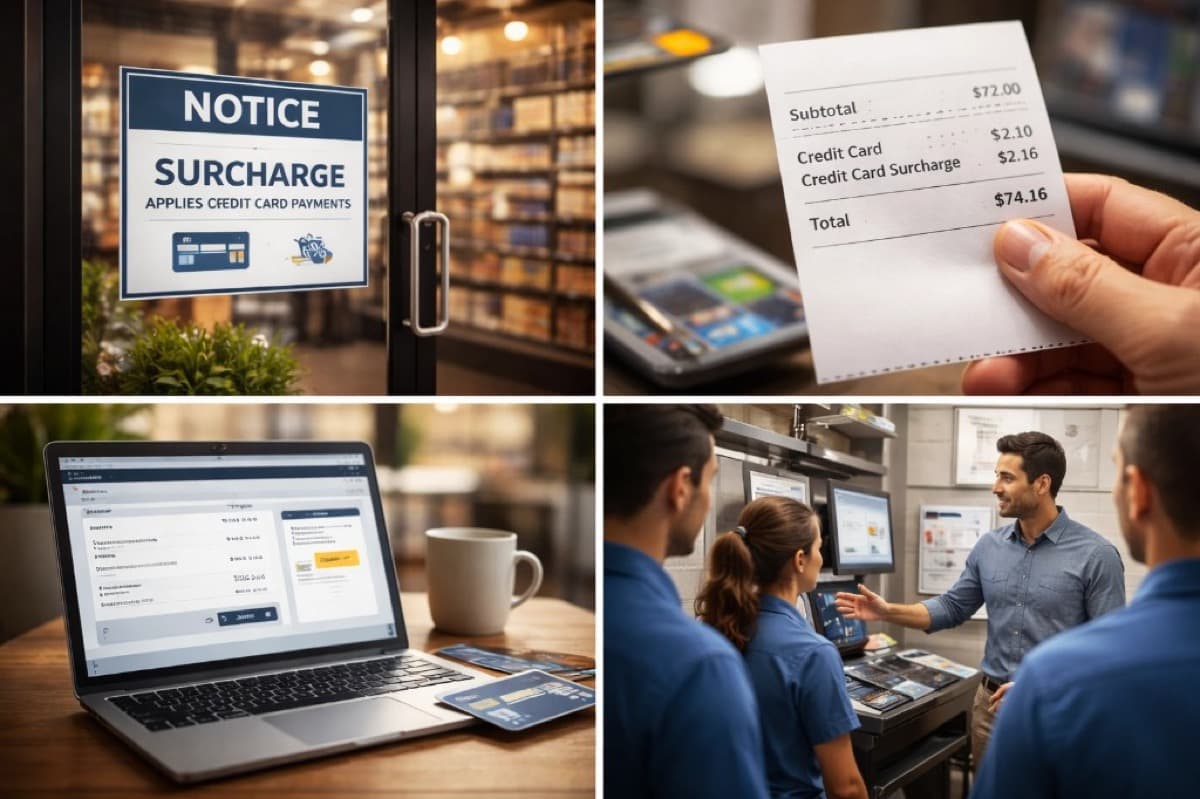
Use these templates for entry signs, register signs, and online checkout notices.
Template A: Short and clear (entry/register)
"NOTICE: A credit card surcharge applies to credit card purchases. The amount will be displayed before you complete payment."
Template B: Includes debit note (terminal area)
"NOTICE: Credit card purchases include a surcharge. Debit transactions are not surcharged. The total will be shown before you pay."
Template C: Online checkout
"Before you pay: If you choose a credit card, a surcharge will be added and shown in your total before you submit payment."
Template D: Full disclosure sign
"We accept all major credit and debit cards. A surcharge of up to 3% applies to credit card transactions to help offset processing costs. This surcharge does not apply to debit cards. The surcharge amount and your total will be displayed before you complete payment. If you have questions, please ask."
Design tip: Make signage readable from 3-6 feet away. Small print at the bottom of a sign does not prevent surprise. Use bold text for key words like "credit card surcharge" and "before you pay."
POS Setup: What Correct Looks Like
Your POS terminal or payment system must follow this flow:
- Step 1: Item total appears (customer sees the subtotal).
- Step 2: Payment choice happens (credit, debit, cash, etc.).
- Step 3: Surcharge is calculated only when credit is detected.
- Step 4: The adjusted total is displayed before the customer taps, inserts, or swipes.
- Step 5: Receipt prints with the surcharge as a clear line item.
Critical POS requirement: credit vs debit detection
Your terminal must be able to distinguish between credit and debit cards. This is the single most important technical requirement. If your current terminal cannot do this reliably, the surcharge may accidentally apply to debit transactions, which violates card brand rules and creates customer complaints.
Most modern terminals from Clover, PAX, and Dejavoo support automatic credit/debit detection when properly configured. Unison Payment Solutions pre-configures surcharge programs on every terminal we deploy.
What "wrong" looks like
If the surcharge appears only after the transaction is approved, or only shows up on the receipt without being displayed first, customers feel tricked. This is the most common implementation mistake and the primary driver of surcharge-related chargebacks.
Online and Invoice Surcharging
For web checkout, invoice pay links, and payment gateway transactions, apply the same disclosure principles:
- Disclosure on an early page (cart or payment method selection, not only the final step)
- Surcharge visible in the order summary as a labeled line item before the "Pay" button
- "Pay" button placed next to the final total so the customer sees what they are authorizing
- Email receipt matches what was shown on-screen during checkout
Common online mistakes
- Showing the surcharge only after the customer clicks "Pay" (too late)
- Labeling it "service fee" or "processing fee" instead of "credit card surcharge" (vague and can create disputes)
- Not showing it on mobile checkout (responsive design must include the disclosure)
- Email receipt not matching the checkout screen (triggers "I was charged more than expected" disputes)
Receipt Examples
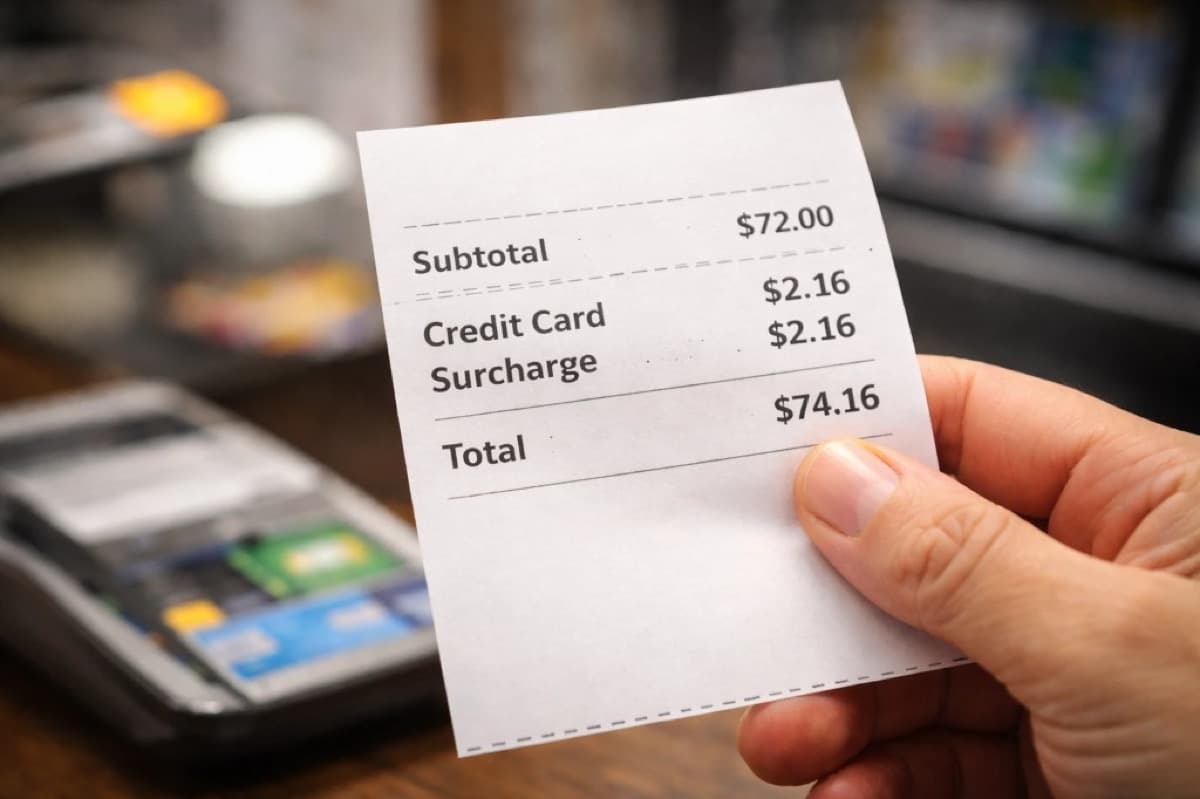
Use a line item that is specific, consistent, and easy for staff to explain.
In-store receipt example
Subtotal: $72.00 Credit Card Surcharge: $2.16 Total: $74.16
Online receipt example
Items: $120.00 Shipping: $8.00 Credit Card Surcharge: $3.60 Total Paid: $131.60
What NOT to put on receipts
- "Service Fee" or "Processing Fee" — too vague, does not tell the customer what it is for
- "Non-Cash Adjustment" — this language is typically associated with cash discount programs, not surcharging
- Surcharge buried inside the total without a separate line — makes it invisible and unexplainable
States Where Surcharging Is Restricted
As of early 2026, the following states have laws that restrict or prohibit credit card surcharging:
- Connecticut — Surcharging prohibited
- Massachusetts — Surcharging prohibited
- Puerto Rico — Surcharging prohibited
Several other states (including New York, Kansas, Maine, Oklahoma, and Texas) previously had surcharge bans that were challenged in court and struck down or modified. Laws change, so always verify the current status in your state before launching a surcharge program. For a comprehensive guide covering all 50 states plus special-rule jurisdictions, see our State-by-State Credit Card Surcharging Rules.
If you operate in a restricted state: Consider a cash discount or dual pricing program instead. Cash discounts are generally permitted in all 50 states and achieve a similar cost-offset result with different customer messaging. Unison Payment Solutions offers both options and can recommend the best fit for your location.
Common Surcharging Mistakes (and How to Avoid Them)
Mistake 1: Surcharging debit cards
This is the most frequent and most serious compliance error. If your terminal cannot distinguish credit from debit, do not implement surcharging until it can. Every POS system we deploy is configured with automatic card-type detection.
Mistake 2: No advance notification to Visa
Surcharging without the required 30-day notice to Visa and your acquiring bank puts your merchant account at risk. Your processor should handle this registration before you go live. Contact us if you need help with this step.
Mistake 3: Exceeding the 3% cap
The surcharge cannot exceed 3% of the transaction amount, and it cannot exceed your actual cost of acceptance. If your effective rate is 2.2%, your surcharge should not exceed 2.2%, even though the card brand cap is 3%.
Mistake 4: Inconsistent disclosure
Signage at the entrance but no mention on the terminal screen. Or surcharging in-store but not online. Inconsistency creates "I didn't know about this" reactions. Match your messaging across every channel: signs, terminal prompts, online checkout, and receipts.
Mistake 5: Surcharging in a prohibited state
Implementing surcharging in Connecticut, Massachusetts, or Puerto Rico can result in fines, customer complaints, and potential legal action. Check your state before setup.
Mistake 6: Using the wrong label
Calling a surcharge a "convenience fee" or "service fee" creates confusion and compliance risk. A surcharge is a surcharge. Use the term correctly and consistently.
Testing Checklist (Do Not Skip This)
Before going live with surcharging, test every scenario:
- Credit card (chip): Surcharge appears before payment, shows on receipt
- Credit card (tap/contactless): Same behavior as chip
- Credit card (keyed/manual entry): Surcharge applied correctly
- Debit card (chip): No surcharge applied
- Debit card (PIN): No surcharge applied
- Cash or check: No surcharge applied
- Full refund: Surcharge amount refunded correctly
- Partial refund: Surcharge recalculated or handled predictably
- Tip adjust: Surcharge logic does not break tip flows
- Multiple locations: Signage and terminal configuration match everywhere
- Online checkout: Surcharge visible before "Pay" button, email receipt matches
- Invoice payments: Surcharge appears on the payment page before submission
Staff Training Script
Train every employee on one consistent explanation. Customers ask "what is this?" and your staff needs a calm, confident answer.
The 10-second script
"If you use a credit card, there is a small surcharge to help cover processing costs. We show the total before you pay, and it prints on the receipt."
If a customer asks "Is this required by the card companies?"
"No, this is our store policy, and we disclose it before payment." Avoid blaming the card networks or implying the surcharge is mandatory. Keep it simple and factual.
If a customer says "I didn't see the sign"
Point to the sign, acknowledge their concern, and offer alternatives if available (cash, debit, etc.). If this happens frequently, the sign needs to be larger, better placed, or both.
If a customer wants to avoid the surcharge
"You can pay with cash or debit to avoid the surcharge." This is a simple, helpful answer that gives the customer a choice rather than a confrontation.
Surcharging vs Cash Discount: Which Is Better?
If you are still deciding between surcharging and a cash discount program, here is the short comparison:
| Factor | Surcharge | Cash Discount |
|---|---|---|
| State restrictions | Banned in CT, MA, PR | Generally allowed in all 50 states |
| Card brand registration | Required (30-day notice to Visa) | Not required |
| Debit handling | Must exclude debit (POS must detect card type) | No card-type detection needed |
| Customer perception | "I am paying a fee" | "I am getting a discount" |
| Compliance complexity | Higher (more rules, more disclosure points) | Lower (simpler implementation) |
| Best for | Businesses wanting the fee explicitly tied to credit cards | Businesses wanting the simplest, most customer-friendly approach |
Many merchants find that a cash discount or dual pricing program achieves the same cost savings with fewer compliance requirements and better customer reception. For a full comparison, see our guide: Cash Discount vs Surcharge vs Convenience Fee.
How Unison Payment Solutions Helps with Surcharging
Setting up a compliant surcharge program involves more steps than most merchants expect. Unison Payment Solutions handles the entire process:
- State eligibility check: We verify surcharging is permitted in your state before setup.
- Card brand registration: We file the required 30-day notification with Visa and your acquiring bank.
- POS configuration: We configure your terminal with automatic credit/debit detection so the surcharge applies only to credit transactions.
- Signage and disclosure: We provide compliant signage templates sized and worded for your business.
- Receipt formatting: We configure your receipt to show the surcharge as a clear, separate line item.
- Testing: We run test transactions across card types, entry methods, and refund scenarios before you go live.
- Ongoing compliance: If card brand rules change or your state passes new legislation, we update your configuration.
Already have a terminal? We can evaluate whether it supports compliant surcharging or recommend a hardware upgrade. Not sure if surcharging is right for you? We can compare it with a cash discount program and recommend the best fit for your business.
Ready to get started? Contact Unison Payment Solutions for a free consultation, or explore our payment processing services and merchant services.