Quick Answer
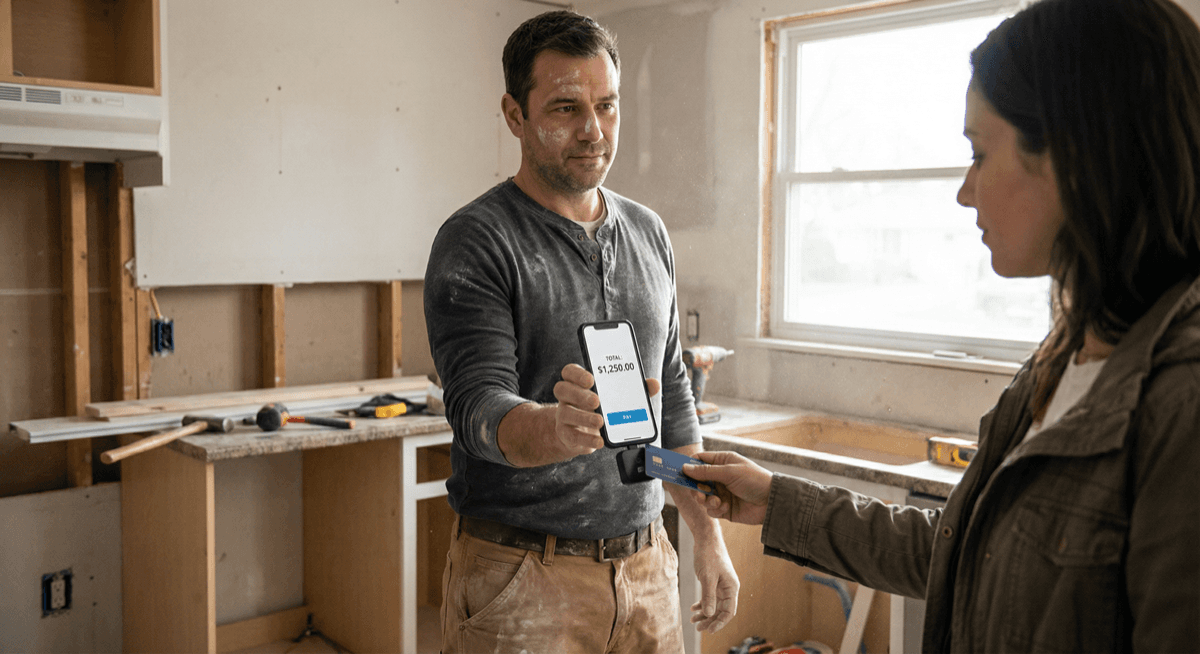
You can accept credit card payments on your phone in four ways: (1) a mobile card reader that connects via Bluetooth, (2) tap-to-pay using your phone's NFC chip, (3) a virtual terminal where you key in card numbers through a web browser, or (4) payment link / invoice sent to the customer's phone or email. Each method fits different business situations — this guide covers when to use each one, what it costs, and how to set it up.
Option 1: Mobile Card Reader (Best for In-Person Sales)
A mobile card reader is a small device that connects to your phone via Bluetooth and accepts chip, tap, and swipe payments. The customer's card is physically present, which means lower processing rates and stronger fraud protection.
How it works
1. Pair the reader with your phone via Bluetooth 2. Open the payment app on your phone 3. Enter the sale amount 4. Customer inserts, taps, or swipes their card on the reader 5. Payment processes in seconds, receipt sent via email or text
Popular mobile card readers
- **Clover Go** — compact Bluetooth reader, accepts chip/tap/swipe, works with Clover's full business management app
- **PAX A920** — all-in-one smart terminal with built-in printer, runs Android apps, works as both mobile reader and countertop terminal
- Dejavoo QD4 — lightweight wireless terminal with Dejavoo's reliability
Costs
With Unison, mobile card readers use interchange-plus pricing — you pay the actual wholesale interchange rate plus a small, transparent markup. No monthly fees, no setup fees, no early termination fees. Most merchants save 20-30% compared to flat-rate pricing from aggregators.
For a detailed cost comparison, see our guide: How Credit Card Processing Fees Work.
Best for
- Farmers market vendors, food trucks, pop-up shops
- Contractors, plumbers, electricians working on job sites
- Personal trainers, massage therapists, mobile groomers
- Delivery drivers accepting payment at the door
- Any business that needs to accept cards away from a fixed counter
Option 2: Tap-to-Pay on Phone (No Hardware Needed)
Tap-to-pay turns your iPhone or Android phone into a contactless payment terminal. The customer taps their card (or their phone) on your phone, and the payment processes through a compatible payment app. No card reader, no dongle, no additional hardware.
How it works
1. Download a compatible payment app that supports tap-to-pay 2. Enter the sale amount in the app 3. Customer holds their contactless card or phone near your phone 4. Your phone's NFC chip reads the payment credential 5. Transaction processes, receipt sent digitally
Requirements
- iPhone: XS or later, iOS 16.4+, compatible payment app
- Android: NFC-enabled device, compatible payment app
- Cards accepted: Any contactless credit or debit card, Apple Pay, Google Pay, Samsung Pay
Limitations
- Only works with contactless/NFC payments — customers without tap-enabled cards cannot use it
- Requires internet connection (Wi-Fi or cellular)
- Transaction limits may apply depending on the payment app
Best for
- Service providers who occasionally need to accept a card payment
- Businesses testing card acceptance before investing in hardware
- Backup payment method when your primary terminal is unavailable
- Low-volume situations where carrying a card reader is impractical
Option 3: Virtual Terminal (Best for Phone and Mail Orders)
A virtual terminal is a secure web-based interface where you manually key in a customer's credit card number to process a payment. You access it through any web browser on your phone, tablet, or computer. No card reader, no terminal, no website required.
How it works
1. Log into your virtual terminal through a web browser 2. Enter the customer's card number, expiration, CVV, and billing address 3. Enter the sale amount and any invoice reference 4. Submit the payment 5. Receipt is emailed to the customer automatically
When to use a virtual terminal
- Phone orders: Customer calls to place an order and reads their card number
- Mail orders: Processing payments from mailed order forms
- Invoiced services: Collecting payment on an outstanding invoice
- B2B transactions: Processing corporate card payments for business-to-business sales
- Recurring charges: Setting up repeat billing for regular customers
Unison provides virtual terminal access through PayTrace, which includes transaction reporting, recurring billing, customer vault (tokenized card storage), and fraud screening tools.
Important: Card-not-present rates
Virtual terminal transactions are classified as "card-not-present" (CNP), which carries slightly higher interchange rates than in-person transactions because the fraud risk is higher. For businesses that process primarily by phone, this is standard and expected. Adding AVS (Address Verification) and CVV matching reduces fraud risk and can help qualify for lower CNP rates.
Best for
- Service businesses (consultants, agencies, accountants, lawyers)
- Contractors collecting deposits or final payments by phone
- B2B companies processing purchase orders
- Any business that takes orders by phone, fax, or mail
- Businesses without a physical storefront or website
Option 4: Payment Links and Invoices (Customer Pays on Their Phone)
Instead of processing the card yourself, you send the customer a payment link or digital invoice. They open it on their phone, enter their own card information, and pay through a secure, hosted payment page.
How it works
1. Create an invoice or payment link in your payment platform 2. Send it to the customer via email, text, or messaging app 3. Customer opens the link and enters their payment information 4. Payment processes through a PCI-compliant hosted form 5. Both you and the customer receive confirmation
Advantages
- No card handling: You never see or touch the customer's card number, which reduces your PCI compliance scope
- Customer convenience: They pay when it is convenient for them — no phone call coordination needed
- Professional appearance: Branded invoices with your business name and logo
- Automatic records: Payment links create a clear transaction trail for accounting
Unison's invoicing and payment link tools let you create and send professional invoices with embedded payment buttons.
Best for
- Professional services (law firms, accounting, consulting)
- Medical and dental practices sending patient balances
- Auto repair shops sending estimates and final bills
- Freelancers and independent contractors
- Any business that invoices customers
Comparing Your Options
| Method | Hardware Needed | Card Present? | Best For | Typical Cost |
|---|---|---|---|---|
| Mobile card reader | Bluetooth reader ($0-$49) | Yes | In-person mobile sales | Interchange-plus (lowest rates) |
| Tap-to-pay | None (phone only) | Yes (contactless) | Occasional in-person payments | Varies by app |
| Virtual terminal | None (web browser) | No (keyed entry) | Phone/mail orders, B2B | Interchange-plus + CNP rates |
| Payment link/invoice | None | No (customer enters) | Invoiced services, remote billing | Interchange-plus + CNP rates |
For most businesses, the best approach is a combination: a mobile card reader for in-person sales and a virtual terminal or payment links for phone orders and invoiced services. Unison provides all of these through a single merchant account with interchange-plus pricing.
How to Get Started
1. **Contact Unison for a free consultation — call (925) 290-6003** 2. We will recommend the right combination of mobile, virtual terminal, and invoicing tools for your business 3. Approval typically takes 3-7 business days for standard businesses, 5-10 for high-risk 4. We ship your mobile reader (if needed) and configure your virtual terminal and payment links 5. You start accepting credit cards on your phone
No monthly fees. No setup fees. No early termination fees. Interchange-plus pricing that saves most businesses 20-30% compared to flat-rate processors.
Related resources:
- Payment Gateway & Virtual Terminal — virtual terminal features and integration
- POS Hardware — mobile readers and countertop terminals
- Credit Card Processing — how processing works and what it costs
- Merchant Services — full service overview