Quick Answer
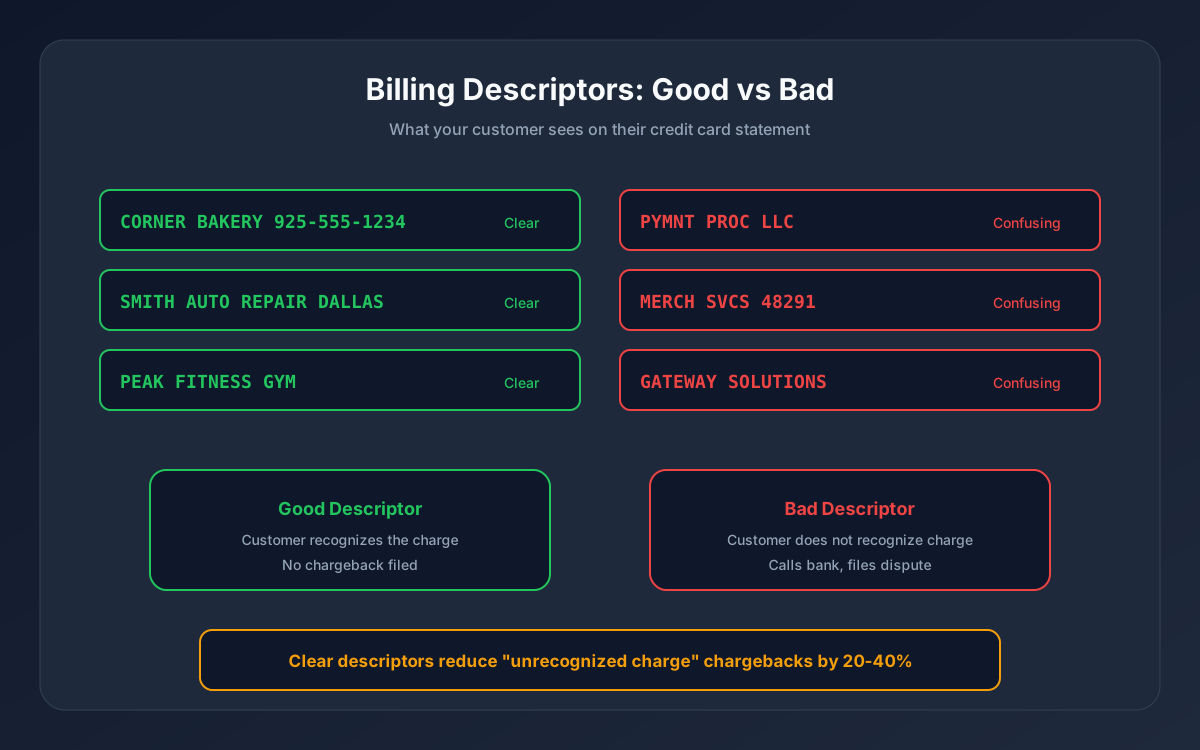
A billing descriptor is the line of text on your customer's credit card or bank statement that identifies your business after a purchase. If customers cannot recognize the charge, they dispute it. Clear descriptors reduce "unrecognized charge" chargebacks by 20-40%.
Most businesses set their descriptor once during merchant account setup and never think about it again. That is a mistake -- an unclear or confusing descriptor is one of the most preventable causes of chargebacks.
What a Billing Descriptor Looks Like
When a customer checks their credit card statement (online or paper), each transaction shows:
- Date of the charge
- Amount charged
- Descriptor text -- this is what identifies your business
The descriptor typically appears as something like:
| Good Descriptor | Bad Descriptor |
|---|---|
| CORNER BAKERY 925-555-1234 | PYMNT PROC LLC |
| SMITH AUTO REPAIR DALLAS | MERCH SVCS 48291 |
| BLUELEAF CBD PORTLAND OR | CC PROCESSING INC |
| PEAK FITNESS GYM | GATEWAY SOLUTIONS |
The bad examples are real patterns. Many businesses end up with a descriptor that shows their processor's name or a generic corporate entity instead of their actual business name. The customer sees "PYMNT PROC LLC" on their statement, does not recognize it, and files a chargeback.
Types of Billing Descriptors
Static descriptor
The same text appears for every transaction your business processes. This is the most common type and works well for single-location businesses.
Format: BUSINESS NAME CITY ST or BUSINESS NAME PHONE
Example: JOES PIZZA AUSTIN TX or JOES PIZZA 512-555-0199
Dynamic descriptor
The text changes per transaction and can include product names, order numbers, or location identifiers. This is useful for businesses with multiple product lines or locations.
Format: BUSINESS NAME*PRODUCT or BUSINESS NAME*LOCATION
Example: ACME*WIDGET-PRO or ACME*STORE42-NYC
Not all processors support dynamic descriptors. If you need per-transaction customization, confirm this capability before signing up.
Soft descriptor vs hard descriptor
- Soft descriptor: a temporary identifier that appears while the transaction is pending (authorization stage). Usually more detailed.
- Hard descriptor: the permanent text that appears after the transaction settles. This is what customers see on their final statement.
Your processor sets both. The hard descriptor is the one that matters most for chargeback prevention.
How to Set Up Your Billing Descriptor
Step 1: Choose the right text
Your descriptor should be the name your customers know you by -- not your legal corporate name (unless they are the same).
| Business Type | Legal Name | Customer-Facing Name | Best Descriptor |
|---|---|---|---|
| Restaurant | JMP DINING LLC | Corner Bistro | CORNER BISTRO 555-0199 |
| Online store | GREENPATH VENTURES INC | LeafWell CBD | LEAFWELL CBD 888-555-0123 |
| Auto repair | R&S AUTOMOTIVE SERVICES | Smith Auto Repair | SMITH AUTO REPAIR DALLAS |
| Gym | PEAK PERFORMANCE FITNESS LLC | Peak Fitness | PEAK FITNESS GYM |
Include a phone number when possible. If a customer does not recognize the charge, a phone number gives them a way to call you instead of calling their bank. This single addition can prevent a significant percentage of chargebacks.
Step 2: Contact your processor
Your billing descriptor is configured during merchant account setup or by contacting your processor's support team. Provide:
1. The exact text you want displayed (within the character limit) 2. Whether you need a static or dynamic descriptor 3. Your customer service phone number
Step 3: Verify after setup
After your descriptor is configured, run a test transaction on your own card and check your statement 2-3 days later. Confirm the text matches what you requested. Some processors truncate or reformat descriptors, so verification matters.
Billing Descriptor Best Practices by Industry
Retail and restaurants: Use your store name and city. Customers remember where they shopped. Example: MAIN ST HARDWARE BOISE
eCommerce: Use your brand name and customer service phone number. Online shoppers often forget which website they ordered from. Example: SHOPBRIGHT 888-555-0100
Subscription and recurring billing: Include a clear identifier so customers recognize monthly charges. Example: PEAKFIT MONTHLY GYM. For subscription-specific advice, see our guide on recurring billing best practices.
Multi-location businesses: Use dynamic descriptors to identify the specific location. Example: ACME*STORE-DOWNTOWN or ACME*STORE-AIRPORT
High-risk merchants: Descriptor clarity is even more critical because these businesses already face elevated chargeback rates. Use your customer-facing brand name, never your processor's name. For peptide-specific descriptor guidance, see our billing descriptor examples for peptide sellers.
Common Mistakes That Cause Chargebacks
1. Using your legal entity name instead of your DBA -- "JMP DINING LLC" means nothing to a customer who ate at "Corner Bistro" 2. Letting your processor's name appear -- If your statement shows your processor or gateway name, fix it immediately 3. Exceeding the character limit -- Descriptors get truncated. "GREENPATH VENTURES WELLNESS PRODUCTS" becomes "GREENPATH VENTURES WE" which is confusing 4. Not including a phone number -- A phone number is the last line of defense before a customer disputes instead of calls 5. Different descriptors for different payment methods -- If your in-store and online descriptors are different, customers who shop both channels get confused
How Descriptors Fit Into Chargeback Prevention
**A clear billing descriptor is one layer of a complete chargeback prevention strategy.** Other layers include:
- Transaction confirmation emails -- send immediately after purchase with the charge amount and your descriptor text so customers can match it to their statement
- Refund policies -- clear, accessible policies reduce disputes. See our chargeback prevention guide
- Customer service accessibility -- if customers can reach you easily, they call you instead of their bank
The simplest metric: if you are seeing "unrecognized charge" as a reason code on your chargebacks, your descriptor is the first thing to fix.
The Bottom Line
Your billing descriptor is a 20-character line of text that can prevent thousands of dollars in chargebacks. Set it to your customer-facing business name plus a phone number, verify it appears correctly on statements, and include the descriptor text in your order confirmation emails.
It takes 10 minutes to set up correctly. The cost of not doing it is measured in chargeback fees, lost revenue, and potential merchant account instability.
**Contact Unison** to set up or update your billing descriptor as part of your merchant account configuration.