What Are Contactless Payment Solutions?
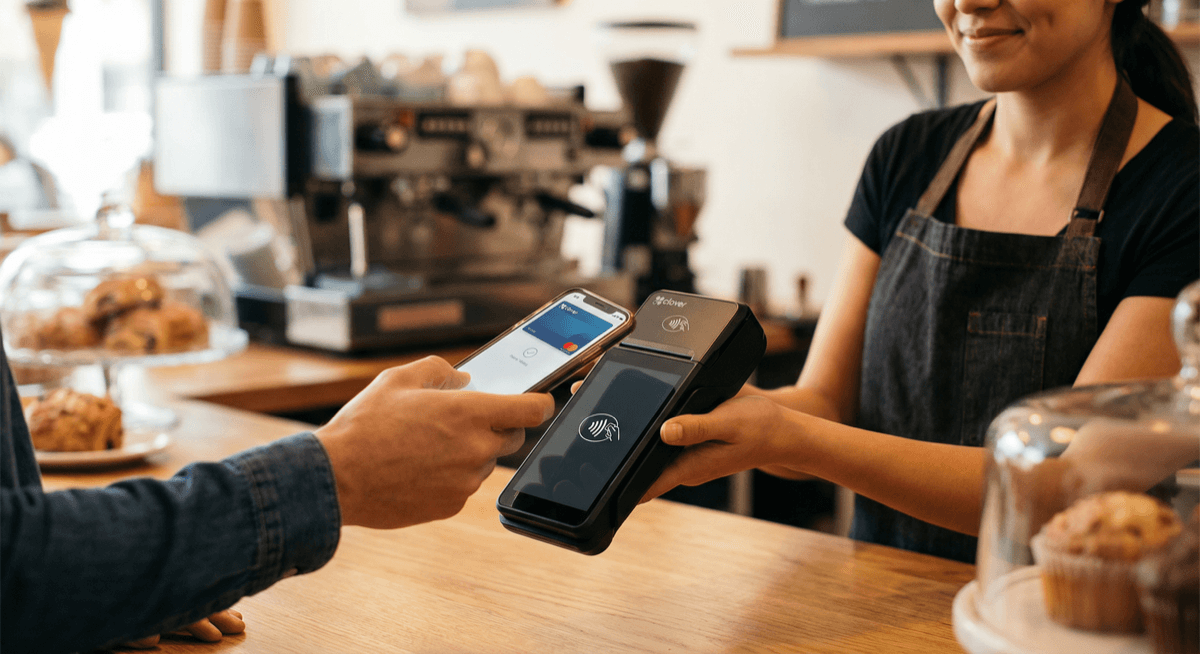
Contactless payment solutions let customers pay by tapping their card, phone, or wearable device near a payment terminal — no swiping, inserting, or PIN required for most transactions. The technology behind contactless payments is NFC (Near Field Communication), which enables secure data transfer between the payment device and terminal within a few centimeters.
Contactless payments have become the fastest-growing payment method in the United States. Over 65% of US consumers have used contactless payments, and adoption continues to accelerate. For businesses, accepting contactless payments means faster checkout, shorter lines, and meeting customer expectations.
How Contactless Payments Work
The contactless payment process is simple:
1. Customer taps their card, phone (Apple Pay, Google Pay, Samsung Pay), or smartwatch near the terminal 2. NFC communication transmits payment data wirelessly between the device and terminal 3. Tokenized authorization — the actual card number is never transmitted. A one-time token replaces it, making contactless payments more secure than swiping or inserting. 4. Transaction approved — typically in under 2 seconds. No signature or PIN required for most transactions under $250.
The entire process takes about 2 seconds — roughly 3x faster than chip card insertion and 10x faster than chip + PIN.
Types of Contactless Payment Methods
Contactless Cards
Most new Visa and Mastercard cards include contactless (tap) capability, indicated by a Wi-Fi-like symbol on the card. Customers simply tap the card against the terminal instead of inserting or swiping.
Mobile Wallets
Apple Pay, Google Pay, and Samsung Pay store card information on smartphones. Customers authenticate with Face ID, fingerprint, or PIN on their phone, then tap it against the terminal. Mobile wallets add biometric security that physical cards don't have.
Wearable Payments
Apple Watch, Fitbit Pay, Garmin Pay, and other wearable devices support NFC payments. Customers tap their watch or fitness tracker to pay.
Tap-to-Pay on Phone
Services like Apple Tap to Pay and Google Tap to Pay turn smartphones into contactless payment terminals — no additional hardware needed. Businesses can accept credit card payments on their phone using only a modern smartphone.
Benefits for Businesses
Faster checkout. Contactless transactions complete in under 2 seconds. For businesses with high customer volume — restaurants, coffee shops, retail, bars — faster checkout means more customers served per hour and shorter lines.
Reduced hardware costs. Tap-to-Pay on Phone eliminates the need for a separate payment terminal for mobile businesses, pop-up shops, and service providers.
Stronger security. Contactless payments use tokenization — the actual card number is never transmitted or stored. Each transaction generates a unique token, making contactless payments more secure than magnetic stripe swipes.
Customer preference. Post-pandemic, many customers prefer contactless payment. Not offering it can create a negative impression and drive customers to competitors who do.
Lower interchange. Some contactless transactions qualify for lower interchange rates than manually entered transactions, reducing your processing costs.
Contactless Payment Hardware Options
Unison Payment Solutions provides several hardware options that support contactless payments:
- **Clover POS** — Station, Mini, Flex, and Go all support contactless NFC payments
- **PAX terminals** — A920 and A80 with built-in NFC readers
- **Dejavoo terminals** — Z11 and Z9 with contactless capability
- Tap-to-Pay on Phone — accept contactless payments using your iPhone or Android, no terminal needed
All hardware includes contactless capability at no additional cost. NFC is enabled by default on all terminals we deploy.
Contactless Payment Adoption Statistics
Understanding where contactless payments are headed helps justify the investment:
- Over 65% of US consumers have used contactless payments at least once
- Contactless transactions are growing 30%+ year-over-year in the United States
- 90%+ of new Visa and Mastercard cards ship with contactless capability
- Apple Pay alone has over 500 million users globally
- The average contactless transaction completes in 2 seconds vs 12 seconds for chip insertion
For businesses not yet accepting contactless payments, you're creating friction for the majority of your customers who expect to tap and go.
Contactless Payment Limits and Security
Transaction limits: In the US, most contactless transactions under $250 require no PIN or signature. Above $250, the terminal may prompt for additional verification depending on the card issuer's settings.
Security features that make contactless safer than swiping:
| Security Feature | Contactless/NFC | Magnetic Stripe | Chip (EMV) |
|---|---|---|---|
| Tokenization | Yes | No | Yes |
| Dynamic encryption | Yes | No | Yes |
| Card skimming risk | None | High | Low |
| Biometric auth (mobile) | Yes (Face ID/fingerprint) | No | No |
| Lost card liability | $0 (federal law) | $0 (federal law) | $0 (federal law) |
The common concern — "can someone steal my card data by standing near me?" — is unfounded. NFC requires the device to be within 1-2 inches of the terminal, and each transaction generates a unique encrypted token. Even if intercepted, the token cannot be reused.
Setting Up Contactless Payments
Getting started with contactless payments through Unison:
1. Choose your hardware — POS system, standalone terminal, or Tap-to-Pay on Phone 2. Apply for processing — contact us for a merchant account application 3. Receive and configure hardware — we ship configured, ready-to-use terminals 4. Start accepting taps — contactless payments are enabled automatically
No additional setup, no extra fees for contactless transactions, no separate application. Contactless capability is included with every Unison merchant account.
Best Hardware for Contactless Payments by Business Type
| Business Type | Recommended Hardware | Why |
|---|---|---|
| [Coffee shop](/industries/restaurants/coffee-shop-pos-system) | Clover Mini | Compact, fast tap, loyalty integration |
| Restaurant | Clover Flex | Tableside tap payments, portable |
| Retail store | Clover Station Duo | Customer-facing NFC display |
| Food truck | Clover Go or PAX A920 | Fully portable, battery-powered |
| Service provider | Tap-to-Pay on Phone | No hardware needed, use your iPhone |
| [Convenience store](/blog/convenience-store-pos-system) | Clover Station | Fast scanning + NFC in one system |
| Market vendor | Clover Go | $49-99, connects to smartphone |
Contact Unison for a free hardware consultation. Call (925) 290-6003.
Related resources:
- POS Hardware — explore contactless-capable terminals
- Clover POS — popular contactless POS system
- Payment Processing — complete processing overview
- POS System Cost Guide — hardware pricing breakdown