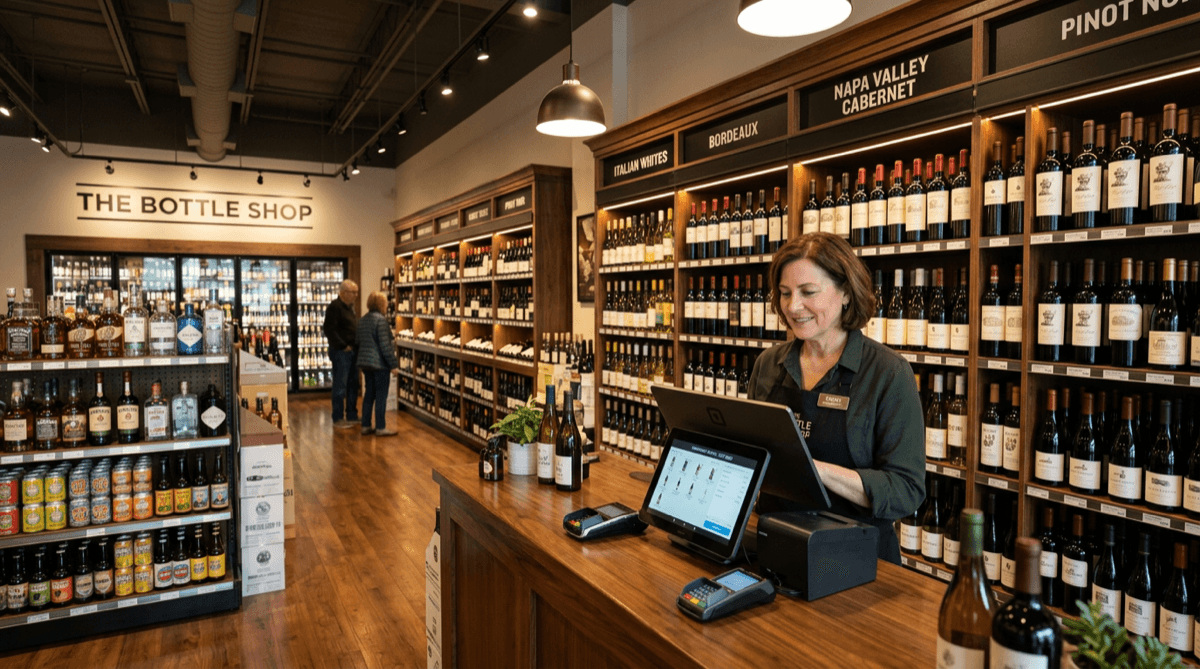
The best POS system for a liquor store must handle age verification on every alcohol sale, manage inventory by both case and individual bottle, categorize products across wine, spirits, beer, and mixers, and provide margin reporting to optimize your product mix. For most liquor stores, Clover Station Duo delivers the best balance of compliance, inventory depth, and ease of use.
Why Liquor Stores Need Specialized POS
Generic retail POS systems weren't built for liquor store workflows. You purchase by the case from distributors, sell individual bottles at retail, track hundreds of wine varietals by region and vintage, and face strict state regulations on every sale. A restaurant POS can't do this. A basic retail POS can't do this well.
Here's what separates a liquor store POS from generic alternatives:
- Mandatory age verification on every alcohol transaction — like convenience stores, the POS must prompt before completing any sale, with a compliance log for audits
- Case vs bottle tracking — receive a case of 12 bottles, sell them individually, and both case and bottle inventory update automatically
- Product categorization — wine by varietal, region, and vintage; spirits by type and proof; beer by brand, style, and format (cans, bottles, draft)
- Vintage and lot tracking for wine inventory — critical for stores carrying aged wines
- Margin analysis by product category — know whether your Bourbon section or your Pinot Noir section generates more profit per square foot
- State compliance — track sales volume for liquor license reporting, generate reports for state audits
Best Liquor Store POS Systems
1. Clover Station Duo — Best Overall
Dual screens provide a merchant view for inventory lookup and a customer-facing display for order verification and tipping. Built-in barcode scanner handles bottle scanning at checkout speed. Age verification prompts are automatic on all alcohol products — the sale cannot proceed until the cashier confirms ID verification.
Inventory management supports case-to-bottle conversion. When you receive a delivery of 10 cases of Cabernet (12 bottles each), the system adds 120 individual bottles to stock. As you sell bottles individually, case counts adjust proportionally. Low-stock alerts trigger when any product drops below your set threshold.
Best for: Single and multi-location liquor stores with moderate to high volume.
Hardware cost: $599-1,799 depending on configuration.
2. Korona POS — Best for Inventory Management
For liquor stores with large and diverse inventory (1,000+ SKUs), Korona POS provides advanced inventory features including case-to-bottle conversion, automated reordering based on sales velocity, and vendor management with purchase order generation. Particularly strong for stores that carry extensive wine selections with vintage tracking needs.
Best for: Large liquor stores, wine specialty shops, stores with 1,000+ SKUs.
3. PAX A920 — Best for Small Shops
Small liquor stores or wine shops with limited counter space can use the PAX A920 — a full POS in a compact handheld form factor with scanner, receipt printer, and touchscreen built in. Age verification still functions on every sale. Good for stores that need simplicity over advanced inventory features.
Best for: Small neighborhood liquor stores, boutique wine shops.
Hardware cost: $249-499.
Case-to-Bottle Inventory: How It Works
This is the feature that saves liquor store owners the most time. Here's the workflow:
1. Receive delivery: Scan the case barcode. The POS knows a case of Tito's Vodka 750ml contains 12 bottles. It adds 12 units to individual bottle inventory. 2. Sell a bottle: Customer buys one bottle. Inventory drops to 11. Case-equivalent count shows 0.92 cases remaining. 3. Reorder trigger: You've set a reorder point at 6 bottles (half a case). When inventory hits 6, you get an alert. 4. Purchase order: The POS generates a PO to your distributor for the quantity you specify — in cases, not bottles.
This eliminates manual case-break counting, spreadsheet tracking, and the "walk the shelves" inventory method that wastes hours every week.
Wine Categorization and Organization
For stores with significant wine selections, your POS should categorize by multiple dimensions:
| Dimension | Examples | Why It Matters |
|---|---|---|
| Varietal | Cabernet, Pinot Noir, Chardonnay | Customer search and filtering |
| Region | Napa Valley, Bordeaux, Tuscany | Premium pricing and shelf organization |
| Country | USA, France, Italy, Argentina | Import tracking and customer preference |
| Vintage | 2018, 2019, 2020 | Aging inventory and valuation |
| Price tier | Under $15, $15-30, $30-50, $50+ | Margin analysis and merchandising |
| Format | 750ml, 1.5L, 375ml, box | Inventory accuracy |
This categorization powers your reporting. You can see that Italian reds generate 35% margins while California whites generate 28% — and adjust your ordering and shelf space accordingly.
Margin Analysis by Category
Liquor stores typically carry products across very different margin profiles:
| Category | Typical Margin | Volume | Strategy |
|---|---|---|---|
| Premium spirits | 25-35% | Low-medium | High-value upsell opportunities |
| Value spirits | 15-22% | High | Volume drivers, price-sensitive |
| Craft beer | 30-40% | Medium | Growing category, loyal customers |
| Domestic beer | 18-25% | High | Loss leader potential |
| Wine under $20 | 30-40% | High | Everyday purchases |
| Wine over $50 | 20-30% | Low | Prestige inventory |
| Mixers & accessories | 40-50%+ | Medium | High margin, impulse buys |
Your POS should generate margin reports by category so you can optimize shelf space, negotiate with distributors, and focus promotions on your highest-margin products.
Key Features for Liquor Store POS
| Feature | Why It Matters |
|---|---|
| Age verification | Legal requirement — fines of $500-10,000+ per violation |
| Case/bottle inventory | Buy wholesale cases, sell individual bottles, track both |
| Product categorization | Wine by varietal/region, spirits by type, beer by brand |
| Margin reporting | Identify your most and least profitable products |
| Vendor management | Track suppliers, purchase orders, delivery schedules |
| Customer loyalty | Rewards programs to drive repeat purchases |
| Tasting event support | Track tasting notes, event attendance, and follow-up sales |
| State reporting | Generate compliance reports for liquor license audits |
Customer Loyalty for Liquor Stores
Your best customers buy from you weekly. A loyalty program keeps them coming back instead of driving to a competitor or ordering online:
- Points-based rewards — earn points per dollar spent, redeem for discounts on future purchases
- Wine club features — monthly picks, member pricing, and purchase history tracking
- Purchase history — "You bought this Malbec last month — it's back in stock" notifications
- Birthday and holiday rewards — automated discounts for birthdays and buying seasons (holidays, summer)
- Spending tier programs — VIP tiers that unlock special pricing or early access to limited releases
Pricing
| Component | Price Range | Notes |
|---|---|---|
| Clover Station Duo | $599-1,799 | Best for most stores |
| PAX A920 | $249-499 | Small / boutique shops |
| Cash drawer | $50-100 | For cash-heavy stores |
| Monthly software | $0-50/month | Depends on features |
| Processing | 2.1-2.8% | [Interchange-plus pricing](/resources/credit-card-processing-fees-explained) |
Total first-year cost: $800-2,400 for a single-location store.
Liquor stores process high transaction volumes with medium ticket sizes — interchange-plus pricing saves 20-30% compared to flat-rate processors. For stores with high cash volume, a cash discount program can eliminate processing fees entirely.
Get Started
Contact Unison for a free liquor store POS consultation. We configure your system for your specific product mix, compliance requirements, and store layout. No contracts, no setup fees.
Call (925) 290-6003 or get a free quote →