The best POS system for a restaurant depends on your restaurant type, volume, and service model. For most restaurants, Clover Station Duo is the best overall choice — it combines dual-screen ordering, integrated payments, and kitchen management in a single system with no long-term contracts.
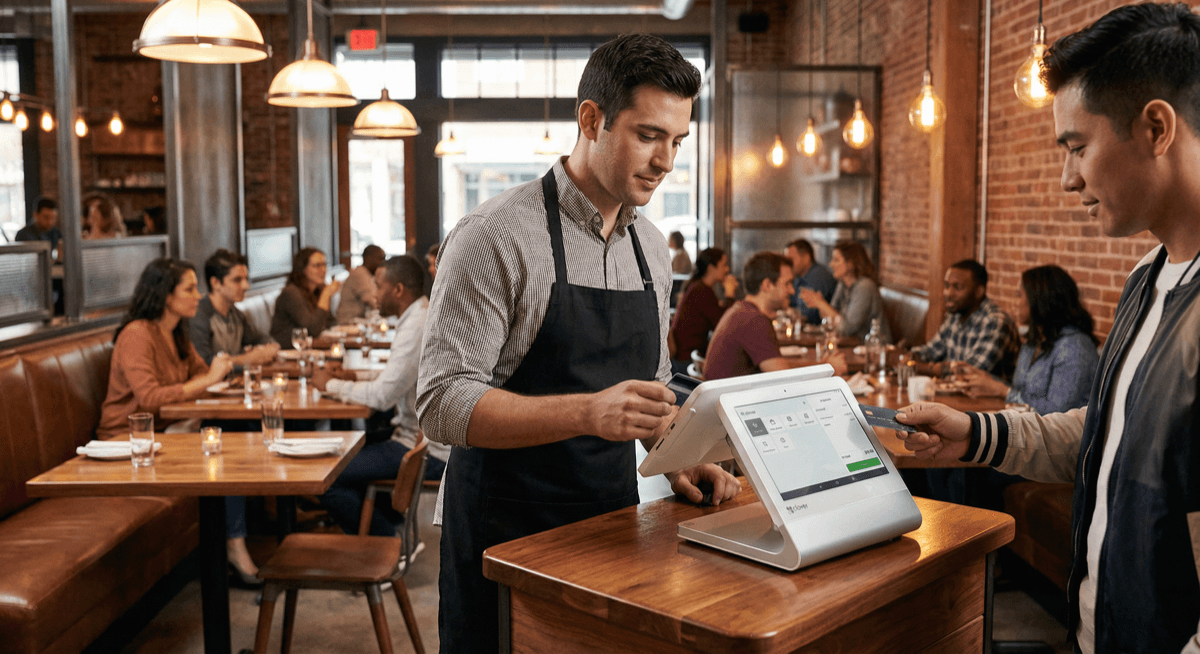
Quick Answer: Best Restaurant POS by Type
| Restaurant Type | Best POS | Why |
|---|---|---|
| Full-service | Aloha POS | Table mapping, coursing, full kitchen management |
| Quick-service / Fast casual | Clover Station Duo | Speed, combo buttons, kitchen display integration |
| Small / single-location | Clover Mini | Affordable, compact, full-featured |
| Food trucks / pop-ups | PAX A920 | Portable, wireless, durable |
| Multi-location chains | Aloha POS | Centralized management, enterprise reporting |
| Bars with food | Kwick POS | Tab management, pre-authorization, speed |
| [Bakeries](/industries/restaurants/bakery-pos-system) | Clover Station Duo | Custom orders, ingredient tracking, display case |
| [Coffee shops](/industries/restaurants/coffee-shop-pos-system) | Clover Mini | Espresso modifiers, loyalty programs, mobile ordering |
What to Look for in a Restaurant POS System
Before comparing specific systems, understand the features that matter for restaurants:
Order management is the foundation. Your POS needs to handle dine-in, takeout, delivery, and online orders from a single interface. Splitting checks, modifying orders after they're sent, and handling comps and voids should be fast and intuitive.
Kitchen communication is where efficiency lives. A POS that sends orders directly to kitchen display systems (KDS) eliminates ticket errors and speeds up service. Color-coded orders by type (dine-in vs. takeout) help kitchen staff prioritize.
Payment flexibility matters more than ever. Your POS should accept chip cards, contactless (Apple Pay, Google Pay), and mobile payments. Integrated tipping on the customer-facing screen speeds up checkout. For a full feature-by-feature breakdown, see our POS systems comparison guide.
Reporting drives profitability. Track sales by hour, server, and menu item. Identify your best sellers, slowest periods, and highest-margin items. Real-time reporting lets you make staffing and menu decisions based on data.
Our Top Restaurant POS Systems
1. Clover Station Duo — Best Overall
The Clover Station Duo is the most versatile restaurant POS available. It features a 14-inch merchant display and a secondary customer-facing screen for order confirmation, tipping, and signatures.
Best for: Quick-service, fast casual, small to mid-size full-service restaurants.
Key features:
- Dual screens for simultaneous merchant and customer interaction
- Built-in receipt printer and cash drawer
- Kitchen display system (KDS) integration
- Online ordering and delivery management
- Employee management with clock-in/out and permissions
- Contactless payments (NFC, Apple Pay, Google Pay)
- Real-time reporting and analytics dashboard
Why restaurants choose it: The Clover Station Duo handles everything a single-location restaurant needs without the complexity (or cost) of enterprise systems. Setup takes under an hour, and staff training is minimal because the interface is intuitive.
2. Aloha POS — Best for Full-Service & Multi-Location
Aloha POS is purpose-built for full-service restaurants and chains. It's the system you'll find in serious dining establishments that need table management, coursing, and enterprise reporting.
Best for: Full-service restaurants, fine dining, multi-location chains, and hotel restaurants.
Key features:
- Advanced table management with floor plan mapping
- Course-by-course firing to kitchen
- Reservation integration
- Multi-location management and corporate dashboards
- Detailed labor and food cost reporting
- Delivery and takeout management
Why restaurants choose it: Aloha is built for complexity. If your restaurant does coursed meals, handles reservations, manages multiple dining areas, or operates multiple locations — Aloha handles it all from one platform.
3. Kwick POS — Best Value for Small Restaurants
Kwick POS delivers the core features restaurants need at the most competitive price point. No bloated features you won't use — just reliable ordering, payments, and reporting.
Best for: Small restaurants, cafes, pizzerias, family-owned restaurants.
Key features:
- Simple menu setup and order management
- Integrated payment processing
- Basic inventory tracking
- Employee management
- Receipt printing and kitchen printing
- Affordable hardware and no long-term contracts
Why restaurants choose it: Not every restaurant needs enterprise-grade POS. Kwick POS gives you what matters — fast ordering, reliable payments, and clear reporting — without overcomplicating things.
4. PAX A920 — Best Portable Option
The PAX A920 is a handheld Android-based smart terminal that combines POS functionality with payment processing in a portable device. Ideal for tableside ordering, food trucks, and outdoor dining.
Best for: Food trucks, pop-ups, outdoor dining, tableside payment.
Key features:
- 5-inch touchscreen with built-in receipt printer
- WiFi and 4G cellular connectivity
- Contactless, chip, and swipe payment acceptance
- Long battery life for mobile operations
- Lightweight and drop-resistant
- Full POS app ecosystem
Why restaurants choose it: When your restaurant isn't a fixed location — or when you want to bring the payment to the table — the PAX A920 gives you full POS capability in your hand.
Learn more about PAX terminals →
How Payment Processing Integrates with Your POS
A POS system is only half the equation. The processing behind it determines your transaction costs, deposit speed, and overall reliability.
Most POS providers bundle processing at flat rates — typically 2.6-2.9% + $0.10 per transaction. That seems simple, but it's expensive for restaurants with high transaction volumes.
Unison Payment uses interchange-plus pricing, which passes the actual card network costs through to you with a small transparent markup. For most restaurants, this saves 20-40% compared to flat-rate bundled pricing.
When you get your POS through Unison, the hardware and processing work together seamlessly. No compatibility issues, no separate support teams pointing fingers at each other. One provider, one bill, one support number.
Ready to find the right restaurant POS? Contact Unison for a free consultation →
Related resources:
- Restaurant Credit Card Processing — lower rates for restaurants
- Restaurant Payment Solutions — complete payment systems
- Cash Discount Program — eliminate processing fees entirely