An iPad POS system uses an Apple iPad as the primary display and interface, paired with external peripherals like card readers, receipt printers, and cash drawers. While iPad POS setups are popular for their familiar interface, dedicated POS systems like Clover often provide better reliability, lower total cost, and integrated payment processing — especially for restaurants and retail stores processing more than $10,000/month.
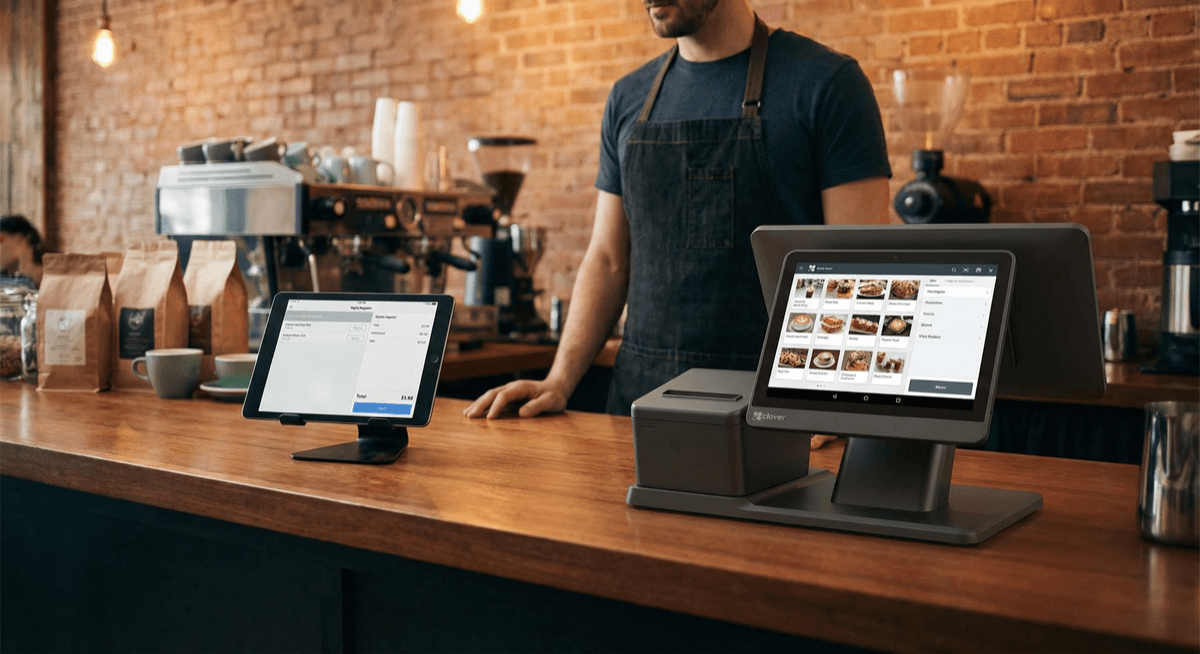
iPad POS: Pros and Cons
Advantages
- Familiar interface — most staff already know how to use an iPad
- Portable — easy to move between locations
- App ecosystem — thousands of POS apps available
- Lower upfront hardware cost — if you already own an iPad
Disadvantages
- Not purpose-built — iPads overheat, freeze, and need iOS updates during business hours
- Peripheral headaches — card readers, printers, and cash drawers connect via Bluetooth or USB adapters that frequently disconnect
- Higher total cost — iPad ($329-1,099) + stand ($50-200) + card reader ($50-300) + printer ($200-400) + cash drawer ($100-200) = $730-2,199 before software
- Security risks — iPads can be stolen, and consumer-grade hardware lacks the tamper-resistant security of certified payment terminals
- Software subscriptions — most iPad POS apps charge $50-100/month in software fees
- Payment processing lock-in — many iPad POS apps only work with their own processing, often at inflated flat rates
iPad POS vs Dedicated POS: Cost Comparison
| Cost Category | iPad POS Setup | Clover Station Duo |
|---|---|---|
| Hardware | $729-2,199 | $1,199-1,499 |
| Monthly software | $50-100/mo | $0-50/mo |
| Card reader | Separate purchase ($50-300) | Built-in |
| Receipt printer | Separate purchase ($200-400) | Built-in |
| Cash drawer | Separate purchase ($100-200) | Included |
| Processing rates | 2.6-2.9% flat | 2.1-2.8% interchange-plus |
| Annual total cost (year 1) | $1,929-4,599 | $1,199-2,099 |
The dedicated POS is often cheaper in year one and significantly cheaper over time because of lower processing rates and included peripherals.
3-Year Total Cost Comparison
The true cost difference becomes dramatic over time:
| Cost Over 3 Years | iPad POS | Clover Station Duo |
|---|---|---|
| Hardware (year 1) | $729-2,199 | $1,199-1,499 |
| iPad replacement (year 3) | $329-1,099 (batteries degrade) | $0 (commercial-grade) |
| Software (36 months) | $1,800-3,600 | $0-1,800 |
| Processing ($30K/mo at stated rates) | $28,080-31,320 | $22,680-30,240 |
| Peripheral replacements | $100-300 | $0 (integrated) |
| **3-Year Total** | **$31,038-38,518** | **$23,879-33,539** |
| **Savings with dedicated POS** | **$5,000-7,000+** |
The processing rate difference alone (interchange-plus vs flat-rate) saves $150-300/month for a business processing $30,000/month in card sales. Over 3 years, that's $5,400-10,800 — dwarfing any hardware cost difference.
When an iPad POS Makes Sense
- Very low volume — processing under $5,000/month where simplicity matters more than cost optimization
- Temporary setups — pop-up shops, seasonal businesses, events
- You already own an iPad — and just need basic payment acceptance
When a Dedicated POS Is Better
- Restaurants — kitchen printing, order routing, table management require reliability that iPad setups can't match
- Retail stores — barcode scanning, inventory management, and high-volume checkout need purpose-built hardware
- Any business processing over $10,000/month — interchange-plus pricing through a dedicated system saves hundreds monthly
- Businesses that need durability — restaurant and retail environments are hard on consumer electronics
Better Alternatives to iPad POS
Clover Mini — The iPad POS Killer
The Clover Mini is a 7-inch touchscreen POS that does everything an iPad POS does — but with integrated payments, a built-in card reader, and purpose-built software. It's smaller, more durable, and cheaper than most iPad POS setups.
Clover Flex — Portable Like iPad, Built for Payments
The Clover Flex is a handheld POS with a 6-inch touchscreen, built-in receipt printer, and full payment acceptance. It's as portable as an iPad but purpose-built for transactions.
PAX A920 — Smart Terminal Alternative
The PAX A920 is a 5-inch Android smart terminal with WiFi and 4G. It runs POS applications, prints receipts, and accepts all payment types. More durable and secure than an iPad.
Want to compare options? See our POS system cost guide or contact Unison for a free POS consultation →
Related resources:
- POS Systems Comparison Guide — detailed feature comparison
- POS Hardware — explore all available systems
- Best POS for Restaurants — restaurant-specific guide